Connect, inspect, and test any MCP server from a native macOS app. Import your config from Claude, Cursor, or Windsurf in one click.
macOS · One-time purchase · No subscription
Works with your existing MCP config from
Stop guessing what your MCP server does. Connect and explore it visually.
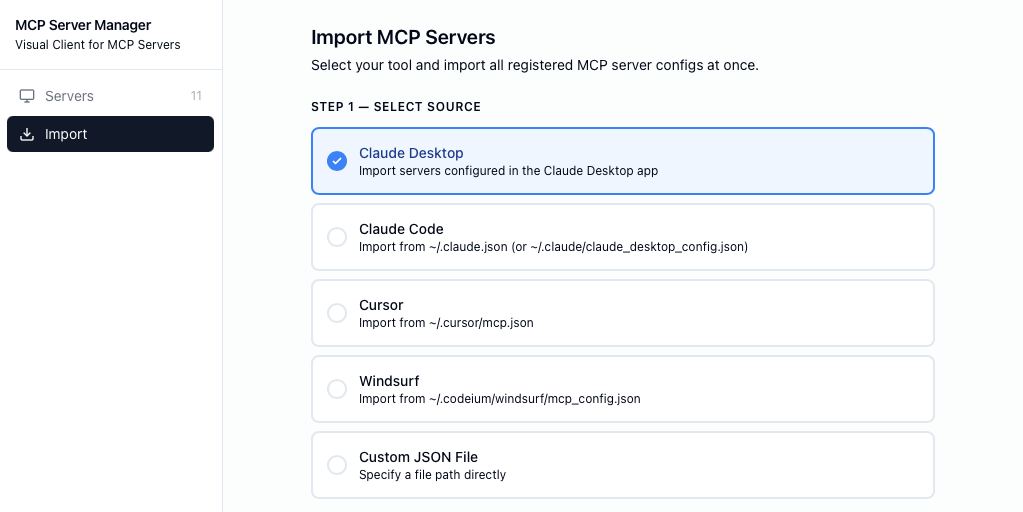
Supports both stdio (local process) and HTTP transports. Import your config from Claude, Cursor, or Windsurf with one click — no manual setup.
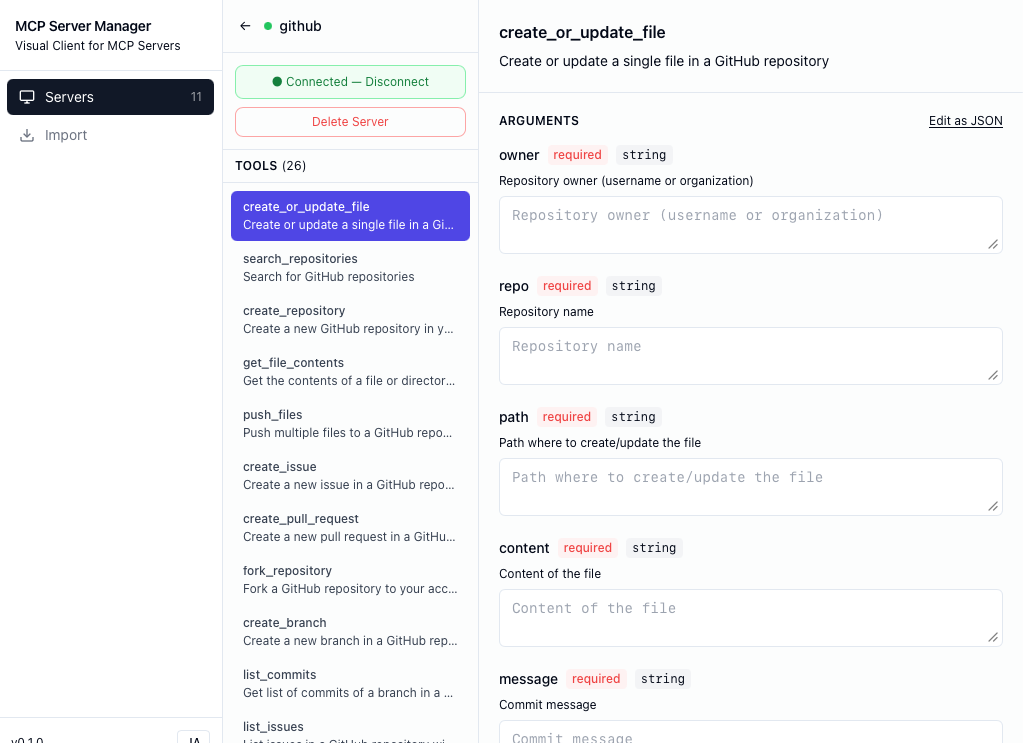
Every tool gets a generated form based on its JSON schema. Fill in fields with descriptions, types, and required indicators — no more hand-writing JSON.
See every server event, stderr output, and error in real time. When something breaks, you know exactly why — not just a generic connection error.
Health checker monitors connections in the background. When a server drops, MCPilot detects it immediately and lets you retry with one click.
API keys stay in your config files — never stored in a database. MCPilot reads them at connect time and passes them directly to the process.
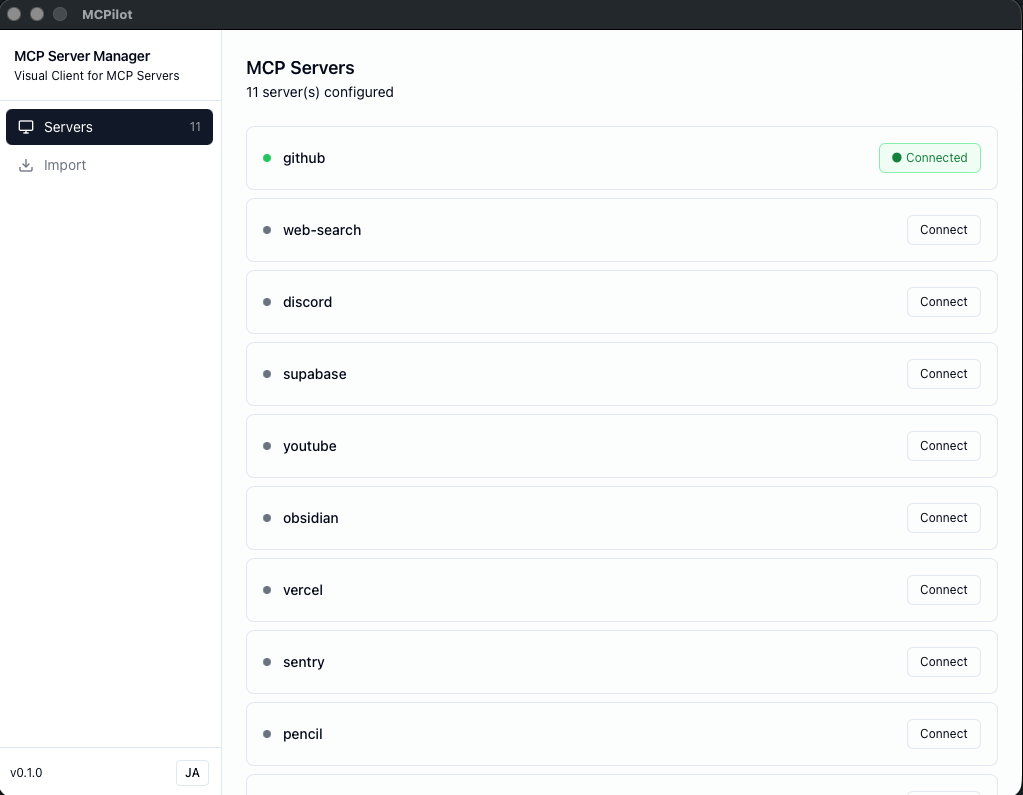
One place to see every MCP server across all your tools. Add, edit, and delete servers. Connect or disconnect individually with a single toggle.
Select your tool (Claude, Cursor, Windsurf) and MCPilot imports all your MCP servers automatically.
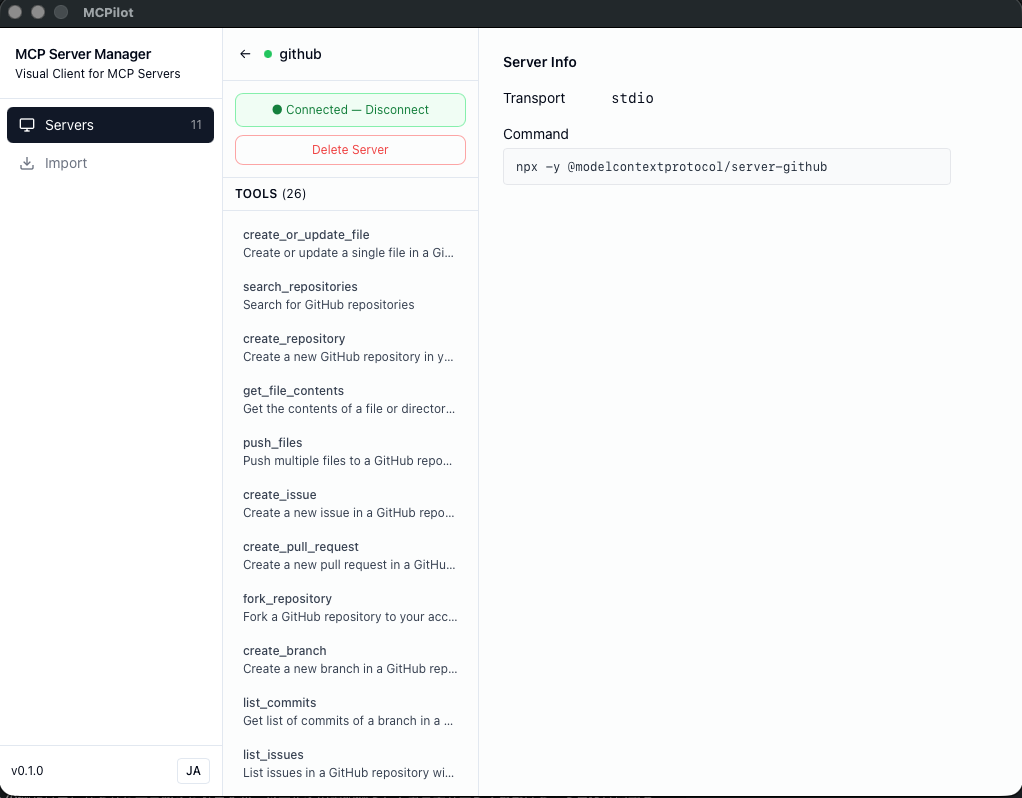
Click Connect. MCPilot starts the process, initializes the MCP session, and lists all available tools.
Pick a tool, fill in the form, and hit Execute. See the full JSON response instantly.
One-time purchase. No subscription. Updates included.
Pay once, own it forever. Free updates.
Secure checkout via Stripe · macOS 12+